 CMS

Your whole site. In your pocket. Locked to you.
CMS Mobile puts every camera, every alarm and every sign-in code of your CMS sites on your phone. Scan one QR and you are in. No cloud in between, no account with us, nothing to type.
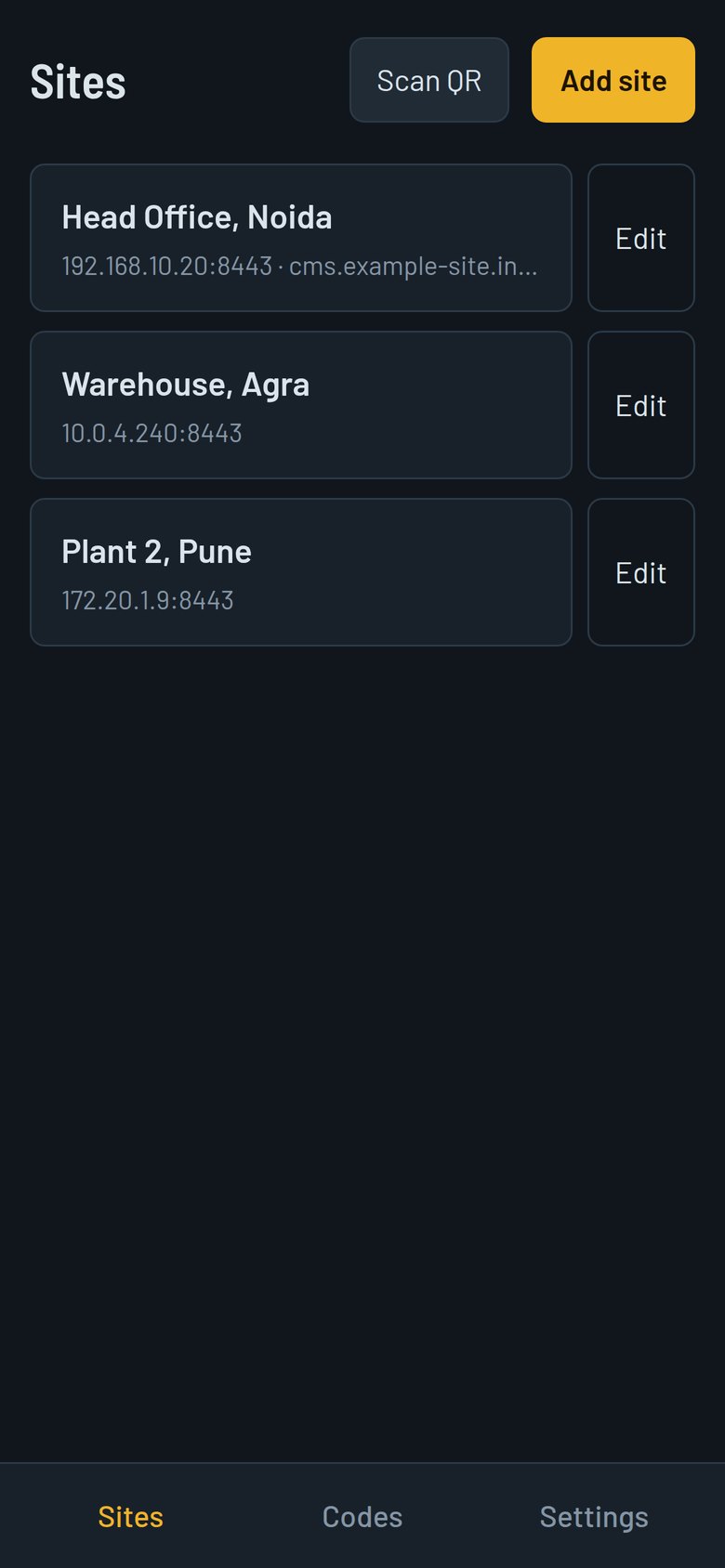
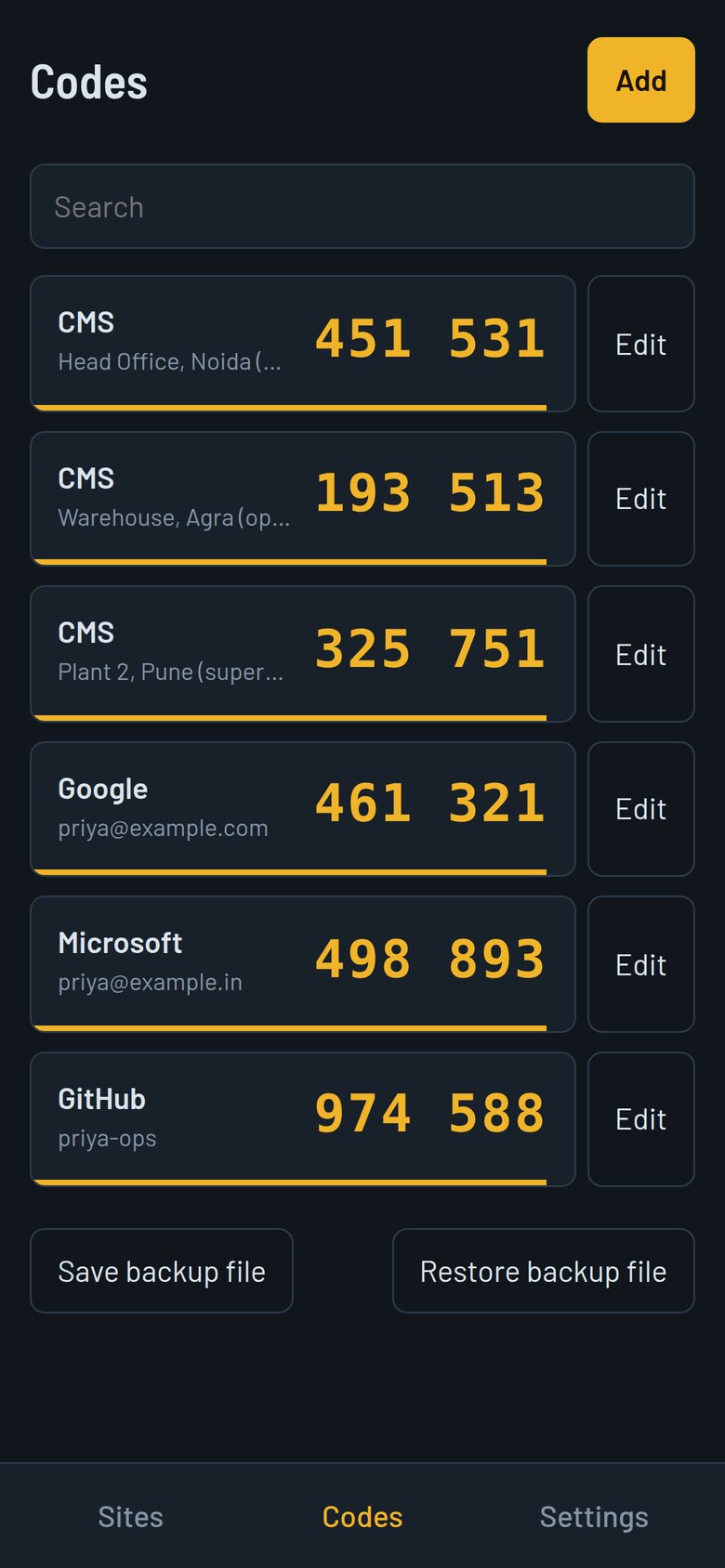
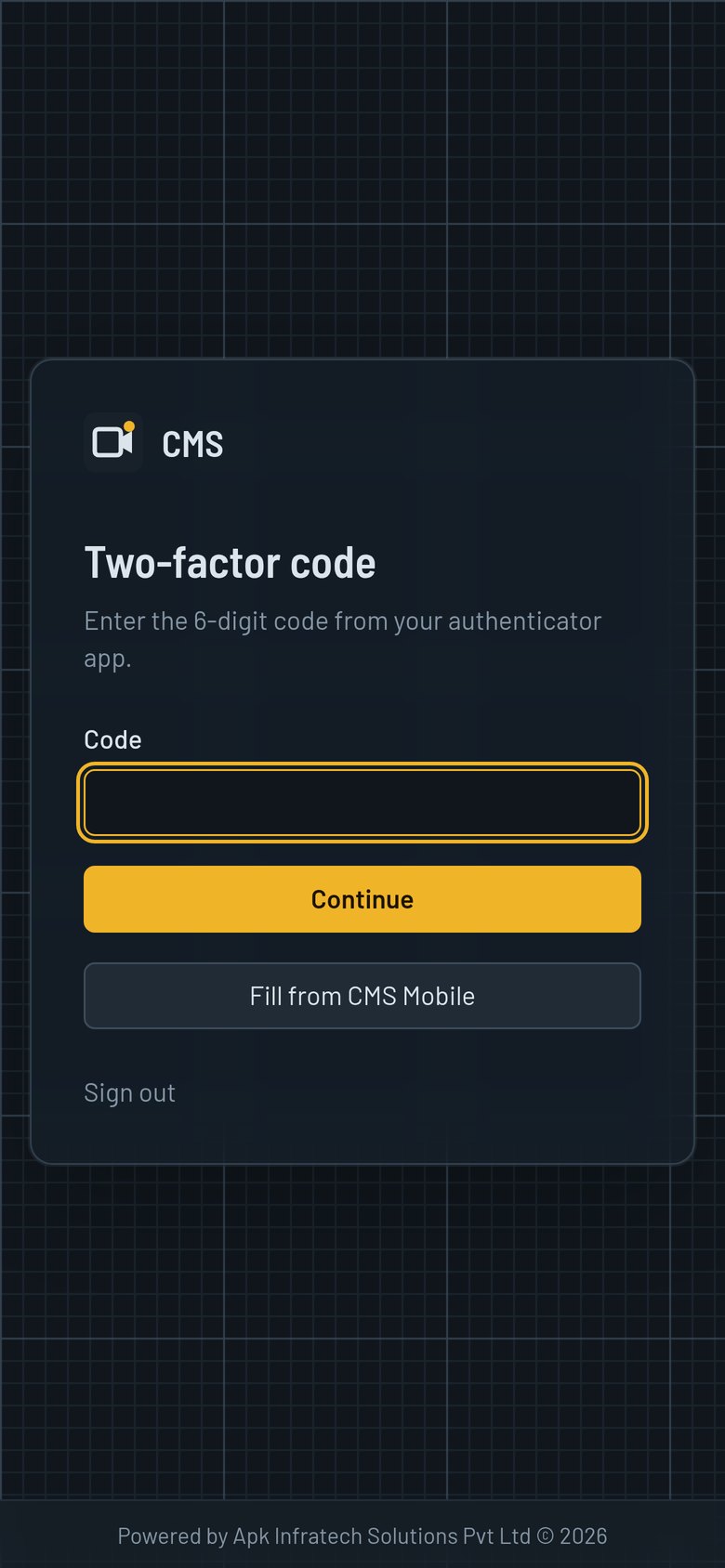
The viewer, the authenticator and the lock. Finally in one app.
Other systems make you juggle a viewer app, a separate code app and your phone's settings. CMS Mobile does all three, and they work together.
Live, alarms, PTZ
The full CMS on your phone: live grids, playback, alarms, PTZ control, snapshots and exports straight into your gallery and Downloads.
Codes that fill themselves
Built-in two-factor codes for every CMS site and for Google, Microsoft, GitHub or any other account. One tap and the code is in.
Fingerprint, face or PIN
The app locks behind your fingerprint or face, codes ask again every time, and screenshots stay blocked unless your administrator allows them.
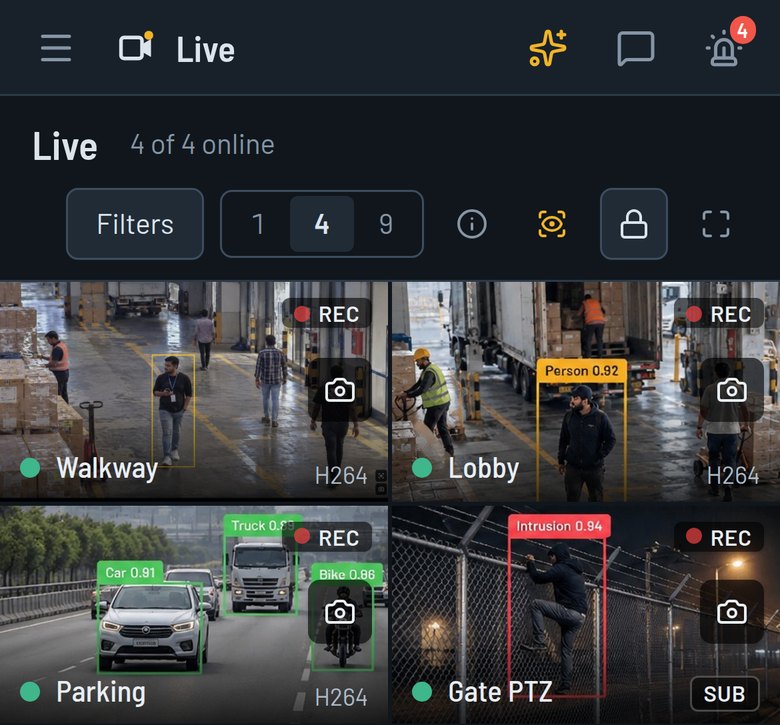
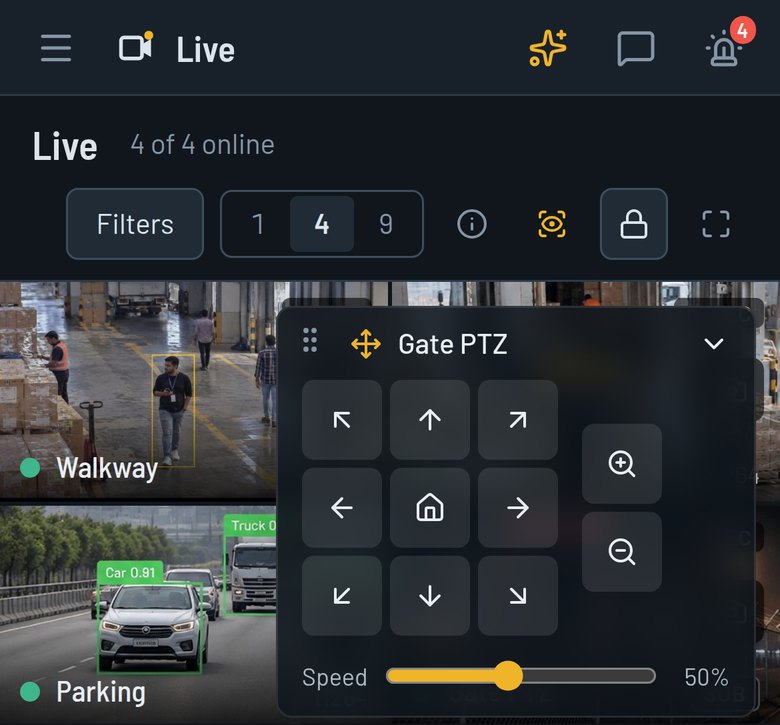
The control room fits in your hand.
Open a site and its cameras are there in a second: one, four or nine at a time, sized for the phone, on the light sub-stream so they start fast even on mobile data.
- Live AI boxes, REC status and alarms, exactly as in the control room
- PTZ joystick floating over the grid: pan, tilt, zoom, home
- Snapshots and exported clips land in your phone's Pictures, Movies and Downloads
- Playback, events and Insights, all from the same app
- Inside the site's network or from outside: each site keeps two addresses and the app tries both
Two-factor without the fuss.
CMS Mobile is a complete authenticator. Turn on two-factor in CMS and the account goes straight into the app. At sign-in, tap Fill from CMS Mobile, touch the fingerprint sensor, done.
- Works for any account that uses authenticator codes: Google, Microsoft, GitHub, Amazon and more
- Moving from Google Authenticator? Import its transfer QR, even from a saved picture
- Encrypted backup file (AES-256 with your password) to move to a new phone
- Codes are sealed with a key in the phone's secure key store, and ask for your fingerprint every time they open
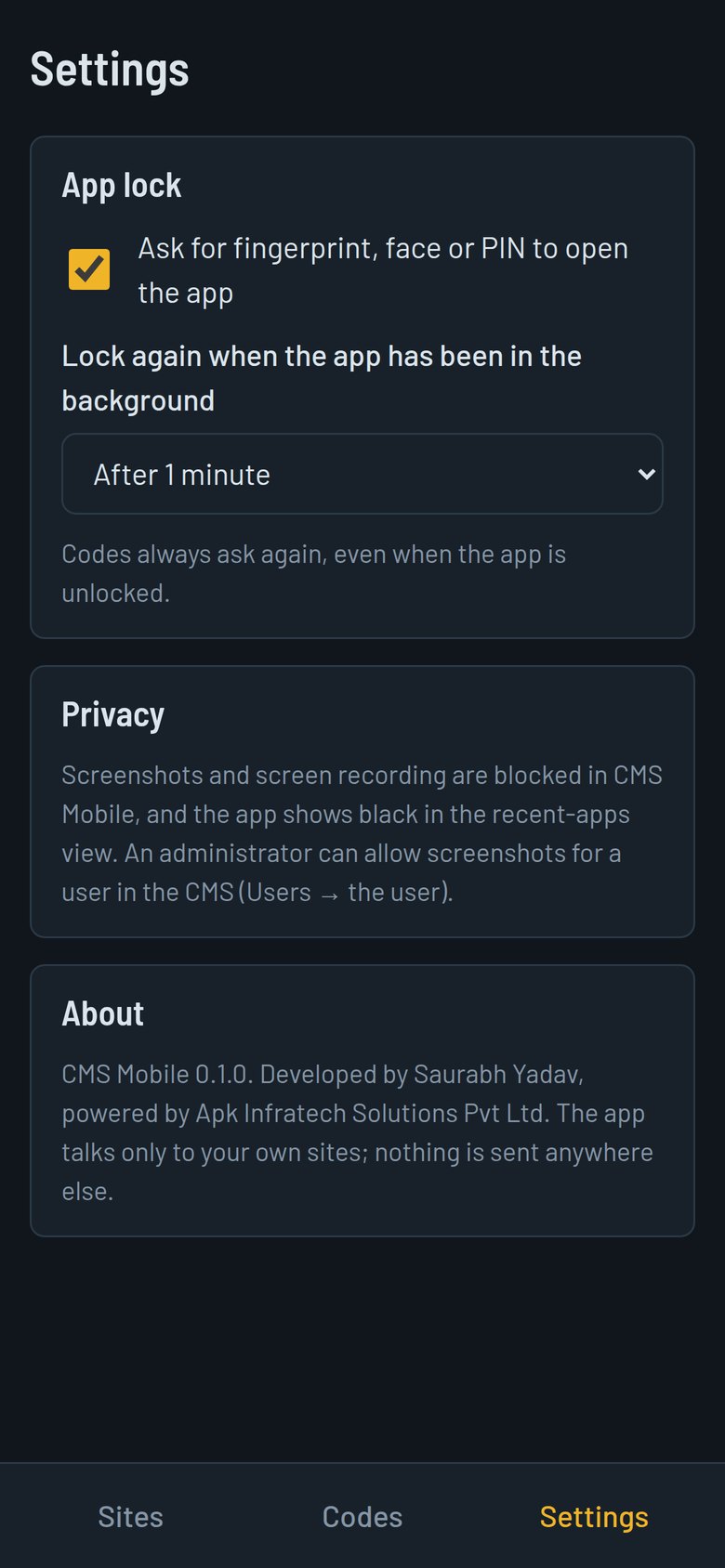
A lost phone is not a lost site.
Security cameras deserve better than "remember password". CMS Mobile is built so that a phone in the wrong hands opens nothing.
- App lock with fingerprint, face or PIN, locking again after the time you choose
- Lost phone? Your administrator signs it out from the CMS Users page in one click
- Screenshots and screen recording blocked; recent apps shows black
- Screenshots allowed only for the users your administrator chooses
- Warns you on a rooted phone
Scan. Trust. Watch.
No IP addresses to type, no ports to remember, no certificate warnings to click through.
Show the QR
In CMS on your computer: Your account → CMS Mobile → Show the QR.Scan it
In the app: Sites → Scan QR. The site's name, addresses and security certificate come with it.Tap to watch
Sign in once, with your code filled in by the app. From then on the site opens with one tap.
Only your phone. Only your servers. Nobody in between.
Many camera apps send your video through the maker's cloud. CMS Mobile never does: there is no Apk server in the path at all.
Phones
| Android | Android 8 and newer, phones and tablets |
| iPhone and iPad | iOS 15 and newer Coming soon |
| Language | English |
| Sites | Any number of CMS sites, two addresses each |
Good to know
- Works with CMS 0.1.4 and newer
- Alarms pop up while the app is open; nothing runs in the background, so your battery and data are left alone
- Reaches a site inside its network, or from outside with CMS remote access
- The authenticator works on its own too, even with no site added
The cameras are on site. Now so are you, everywhere.
CMS Mobile is available to CMS customers. Ask us for the app, a demonstration, or a 30-day CMS trial with every feature on.