 CMS
Every camera recorded. Every alarm seen. Your video stays yours.
CMS records, watches and analyses all your cameras from one screen in the browser. It runs on your own servers, so your video never leaves your site.

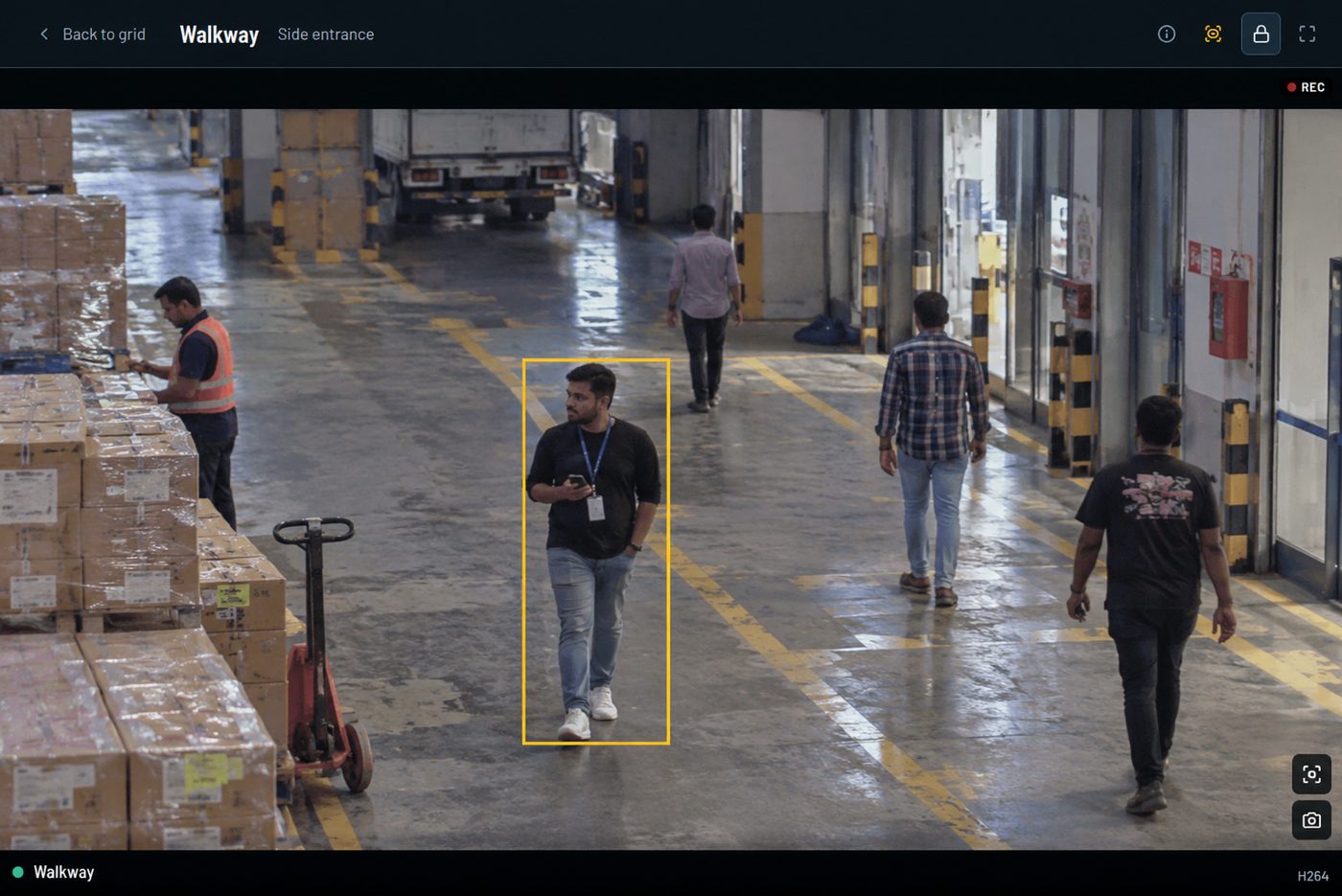
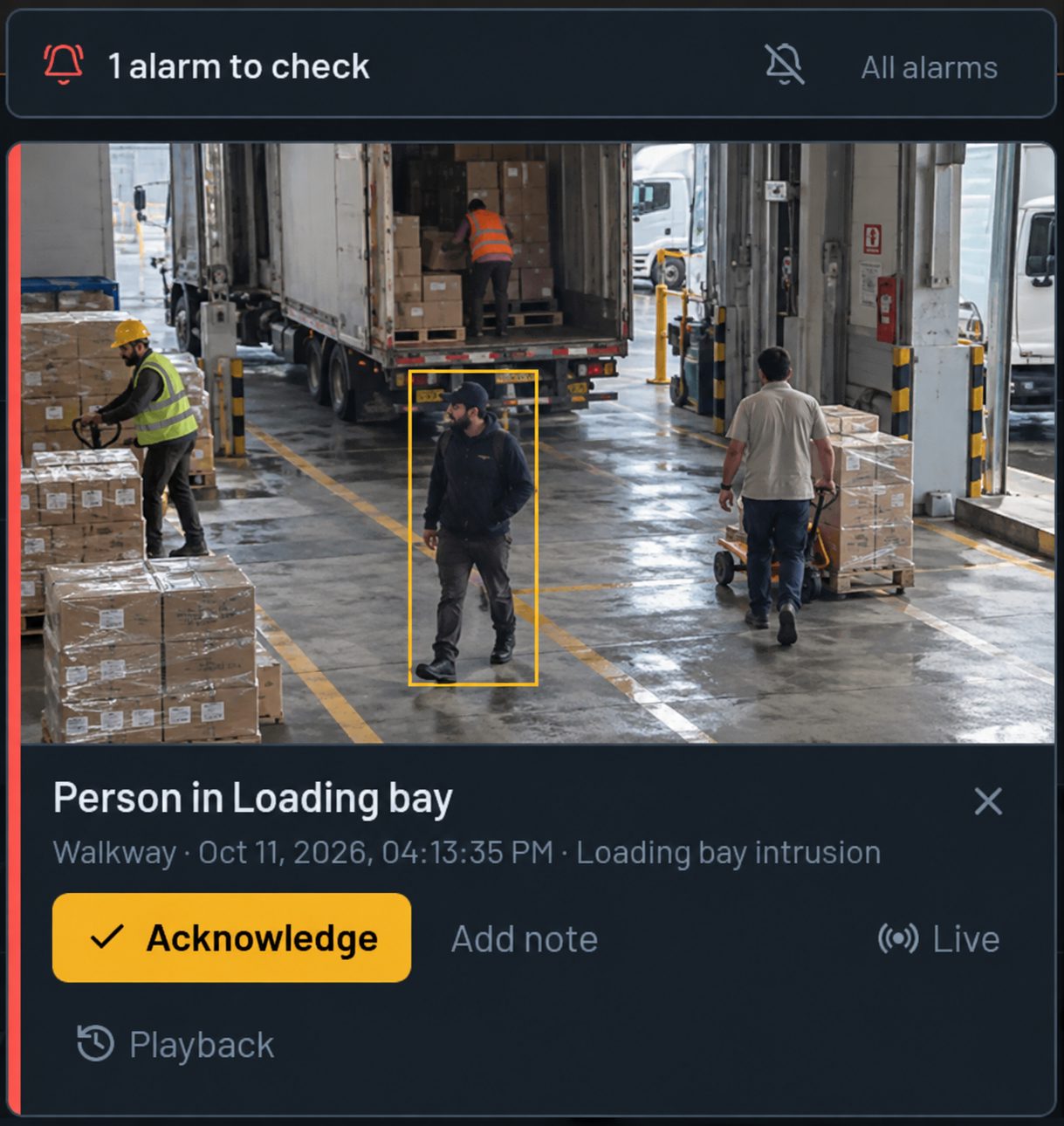
Built for the people who watch the cameras, and for the people who answer for them.
Most camera systems record well and leave the rest to you. CMS also tells you what happened, makes sure the right person sees it, and keeps working when something breaks.
Recording that does not stop
A standby main server keeps a live copy of the system and takes over by itself if the main one fails. Even when a licence ends, recording carries on.
AI on the hardware you have
Our AI runs on the processor, Intel graphics, NVIDIA cards or Jetson. Cameras with built-in analytics can do the work themselves.
Alarms the right people act on
A pop-up with the picture appears on the right screens. Guards acknowledge with a note, alarms escalate when nobody responds, and every step is recorded.
Your data, under your control
Video, users and events all stay on your servers. Two-factor sign-in, roles, camera groups and a tamper-evident audit log support your duties under the DPDP Act, 2023.
Easy for every operator
Plain words, one screen per task, and TARA, a built-in assistant that answers in English or Hinglish and runs offline on your server.
Grows with your site
Start with one server. Add recording servers, AI servers and a standby later, without reinstalling or changing how people work.
Two kinds of AI. One place to run them.
Use our AI models on the server, the intelligence already built into your cameras, or both. You choose per camera and per alarm rule.
CMS AI on your server
Our AI models find people, vehicles and animals on any camera, even a basic one, and follow them across the picture. Draw intrusion zones, counting lines, occupancy and waiting areas in CMS.
The camera's own AI
Smart cameras detect motion, line crossing, intrusion and tampering themselves. CMS recognises the camera, turns these on and off, and on supported cameras draws their lines and zones. Nobody needs to open the camera's own page, and the server does no extra work.
Or both together
Each alarm rule chooses: CMS AI, the camera's AI, or both. Use the camera's AI where it is good, ours where it is missing, and both where it matters most.
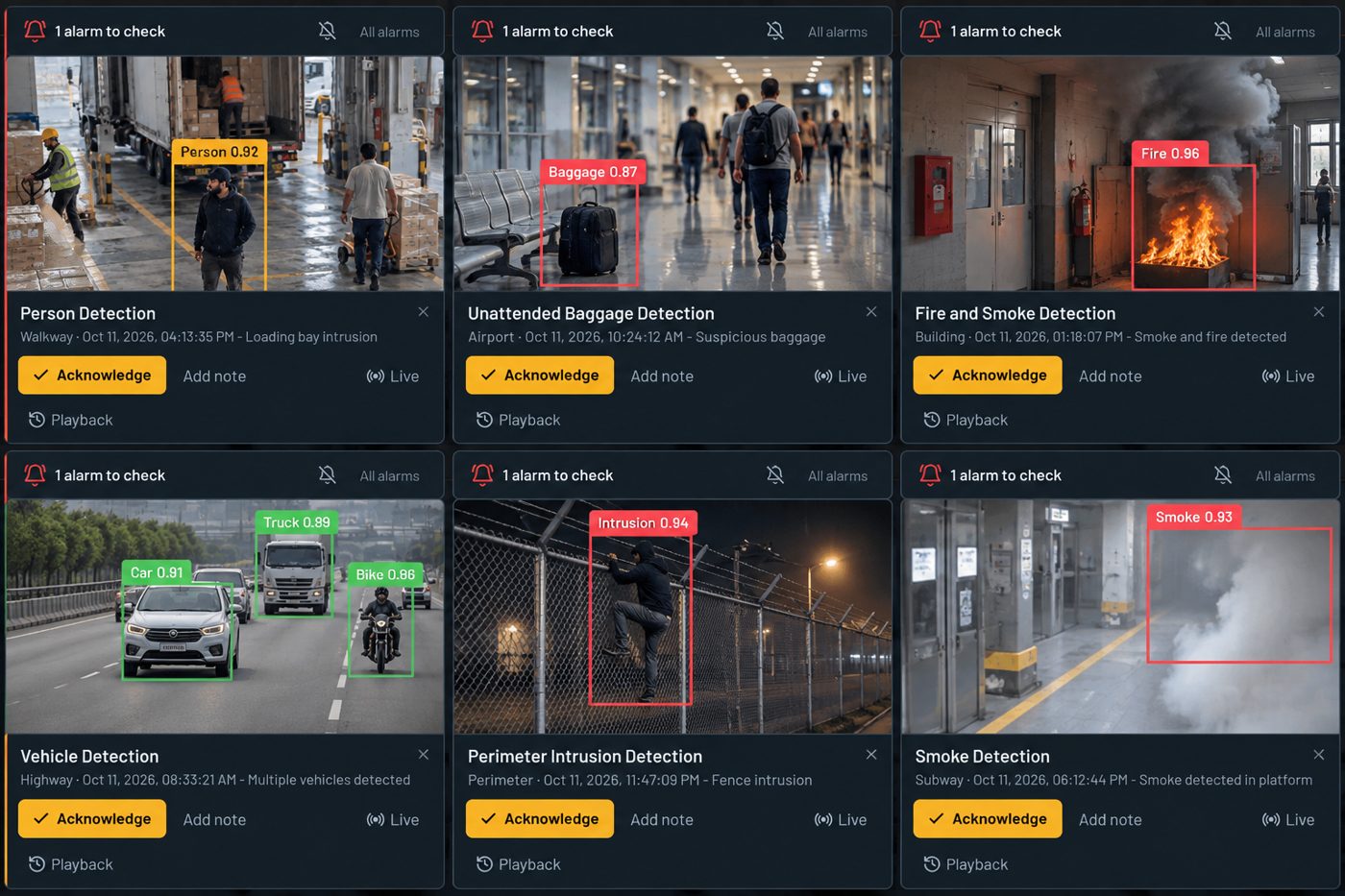
Watch, find, prove and act. All in one place.
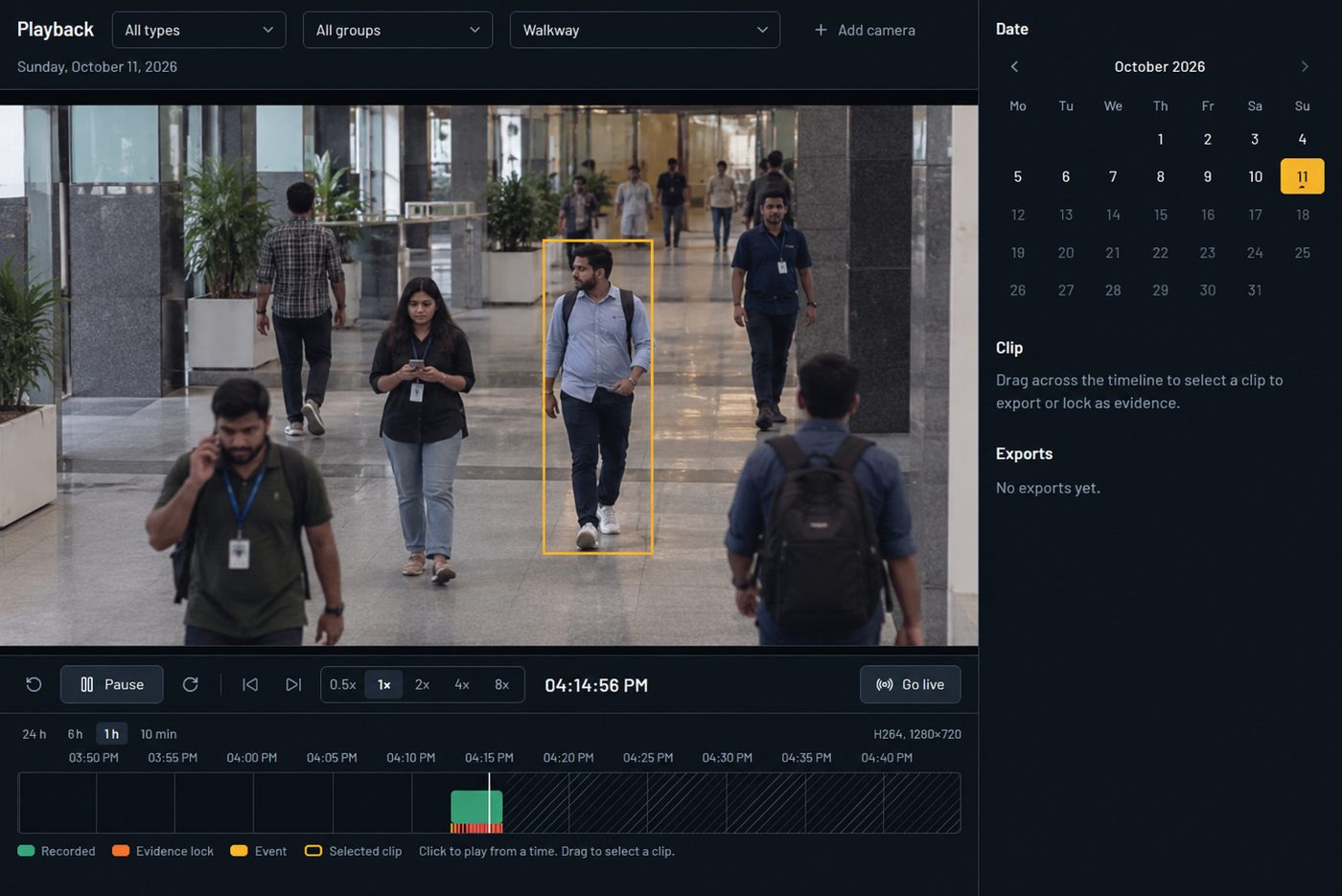
See everything, find anything
Grids of 1 to 36 cameras, full screen for video walls, and a locked view for guard rooms. Play back up to four cameras together.
- Coloured timeline: recorded, events, evidence
- Jump from event to event; 0.5× to 8× speed
- Export a clip with a checksum that proves it was not changed
- Lock evidence so it is never deleted by mistake
- PTZ control: presets, tours, click to centre, and a joystick that floats over the grid
- Arrange cameras in your order, hide some from Live, Fit or Fill the tiles
- Built for 100+ camera sites: search, filters and pages on every list
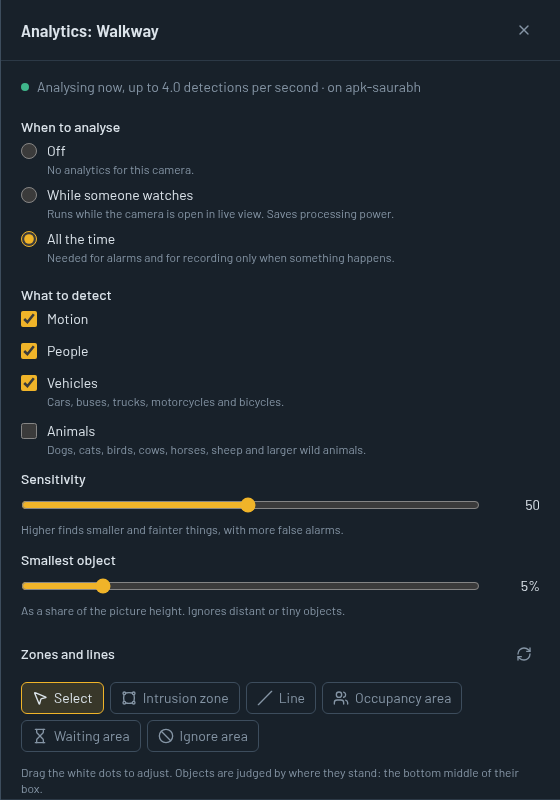
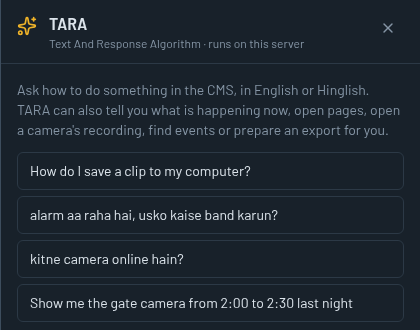
Cameras that tell you what matters
Draw intrusion zones, counting lines, occupancy and waiting areas on the picture, then choose what each camera looks for.
- Insights: people counts, occupancy, waiting times and heatmaps, with Excel and PDF reports. Only numbers are kept, never who.
- TARA: "Show me the gate camera from 2:00 to 2:30 last night." It answers and opens the recording.
- Record all the time, on a schedule, or only when something happens
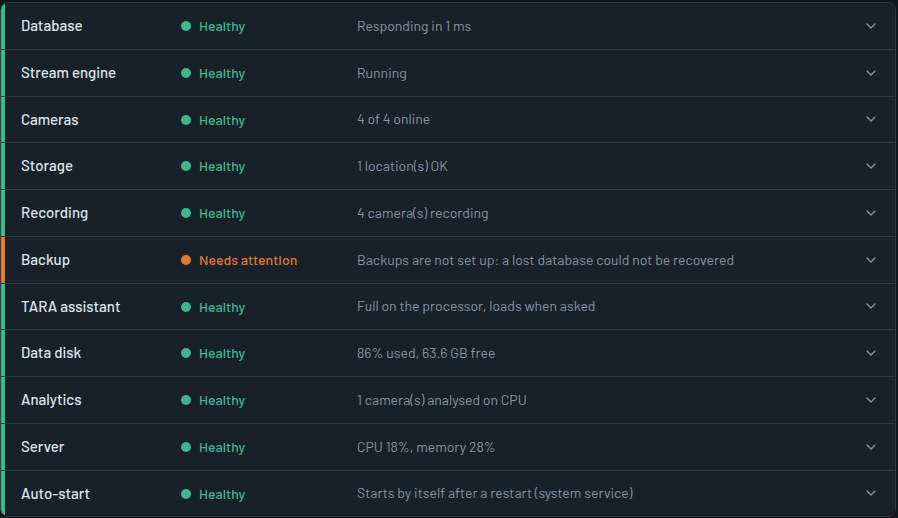
Always know it is working
The Health page shows every part of the system in plain words. Problems become alarms before they become gaps in the recording.
- System check: how many cameras this server can handle
- Daily password-protected backups of all settings
- Signed updates that undo themselves if anything fails
- Built-in team chat with red alerts
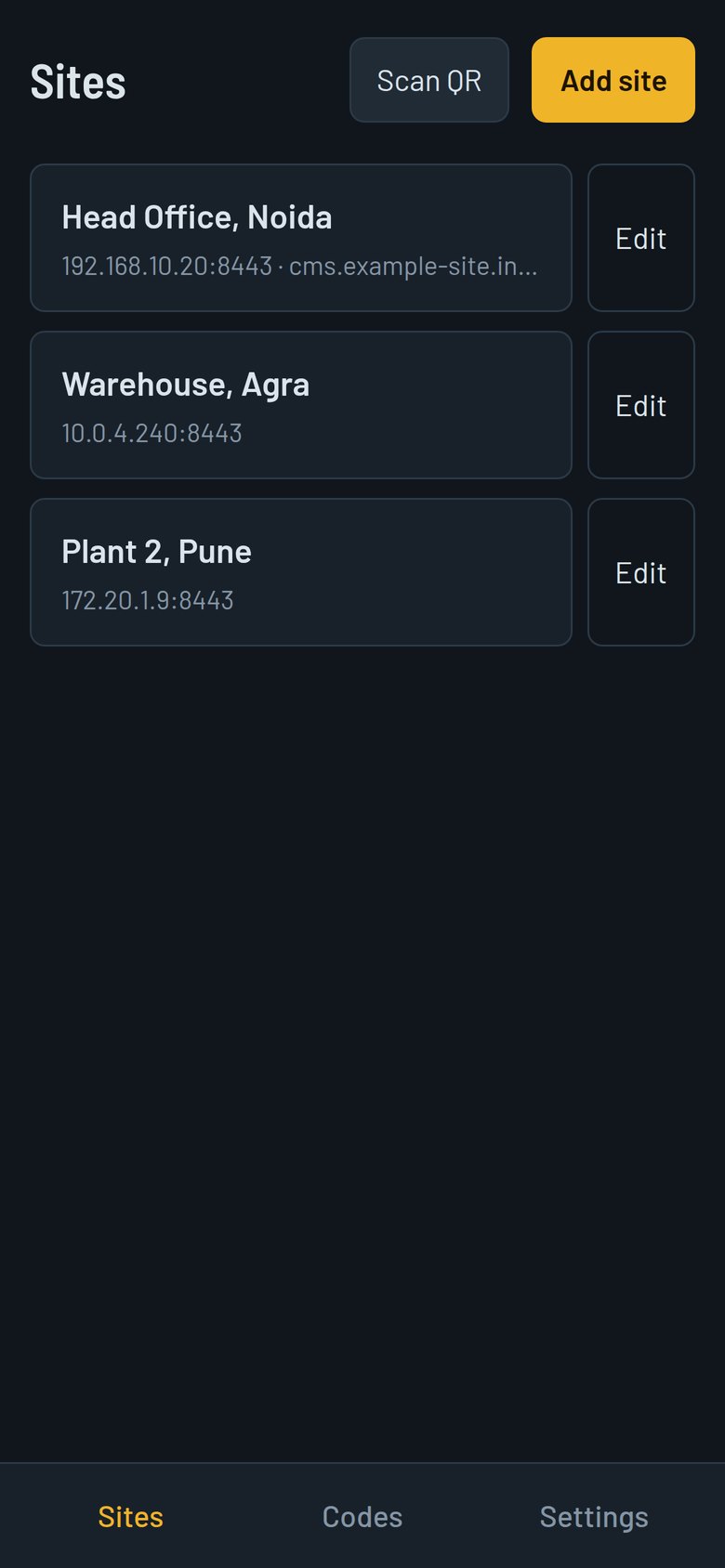
Everything a real site needs.
Start small. Grow without starting again.
The same software runs every size of site. Each server's role is set from the screen, so a second server is an invitation code, not a new project.
Everything in one box
Recording, live view, AI and alarms on a single server. Ideal for a building or a small campus.
Recording and AI servers
Add servers for more cameras or more analytics. Video goes straight from each server to the viewer.
Standby main server
It keeps a live copy and takes over by itself. One shared address follows the main server, so nobody changes a bookmark.
Fits your hardware
| Any modern PC or server | Processor only; AI for a few cameras |
| Intel graphics (6th gen and newer) | AI and video decoding on the graphics |
| NVIDIA graphics card | AI on many cameras |
| NVIDIA Jetson Orin | Compact AI box |
| Size | 300+ cameras recording on one server (load tested) |
Works with what you have
- ONVIF and RTSP IP cameras: finds them on the network by itself
- H.264 and H.265 video
- Camera settings (time, picture, video, PTZ) changed from CMS, without opening each camera's own page
- Watch in Chrome or Edge on any PC, and on your phone with the CMS Mobile app
- Remote access with your own domain, or through a relay when there is no public IP
See CMS on your own cameras.
Ask us for a demonstration or a 30-day trial with every feature on.